Transform Your Text Instantly with This Deep Editable Effect
There’s a particular kind of frustration that hits when you’re staring at a blank canvas, trying to create a headline that pops. You know the look you want—something with depth, dimension, and a modern edge—but achieving it manually in design software can be time-consuming. What if you could simply type your word, and have a stunning, professional text effect applied automatically? That’s the core promise of the Deep Text Effect Editable Text Effect, a design asset that bridges the gap between a good idea and a polished visual.
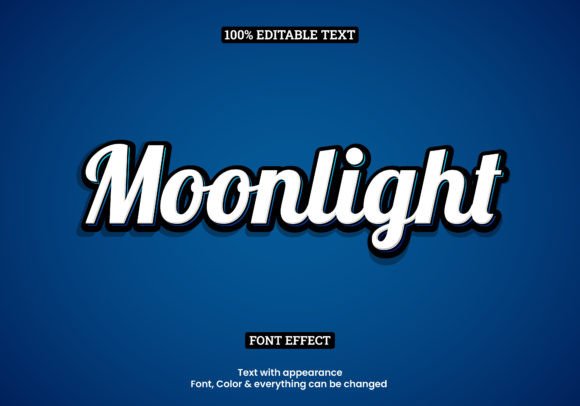
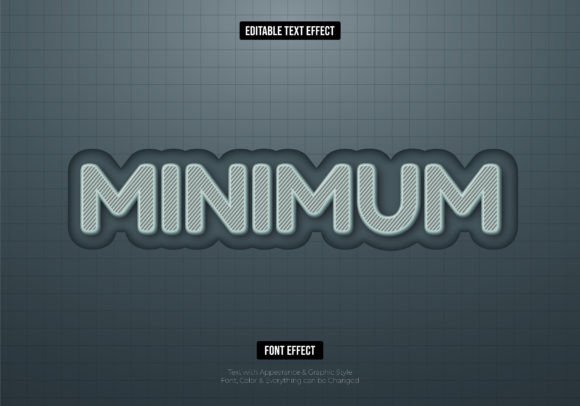
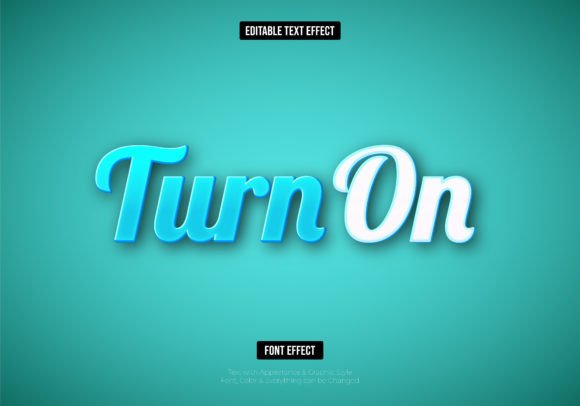
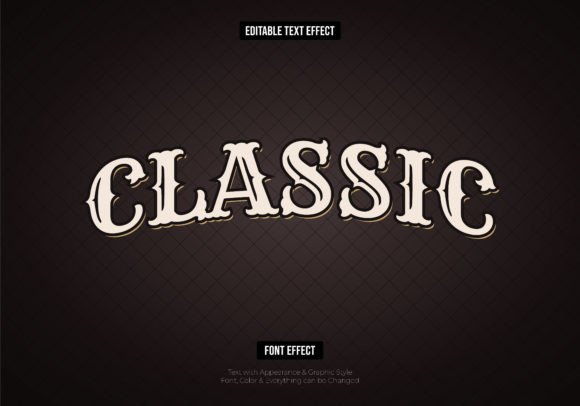
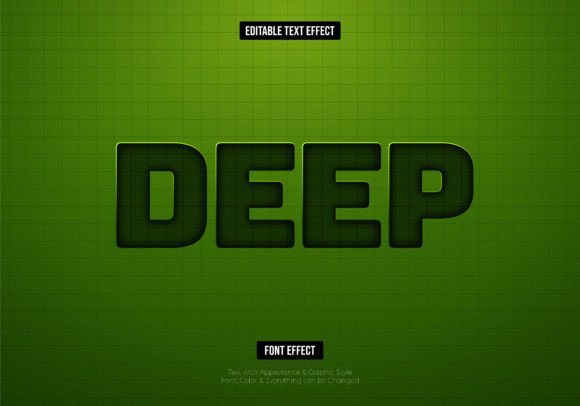
This isn't just another static graphic. The key here is editability. Delivered in vector format (both EPS and AI files), this text effect is a live, customizable template. You type your own message, and the multi-layered, extruded effect wraps around your letters instantly. Because it's vector, you’re free to scale it to fit a billboard or shrink it for a business card without ever worrying about pixelation. It’s a practical tool designed to save hours of manual work while delivering consistently high-impact results.
A Visual Tool for Modern Branding and Marketing
The visual appeal of a deep, 3D-style text effect lies in its ability to grab attention. It adds a tactile, almost physical quality to digital text, making it stand out in a crowded feed or on a busy webpage. For brands, this translates directly to improved recognition. A unique typographic treatment can become as recognizable as a logo itself. Think of the bold, dimensional lettering used in tech startup announcements or the impactful titles on movie posters—this style communicates confidence and innovation.
Practical applications are vast. Imagine using this effect for:
- Logo Design: Create a distinctive wordmark for a new venture that needs to feel established and dynamic from day one.
- Social Media Graphics: Design scroll-stopping Instagram stories, YouTube thumbnails, or Facebook ads where the headline does most of the work.
- Packaging: Apply the effect to product names on labels or boxes to create a premium, shelf-ready look that communicates quality.
- Website Headers: Replace a standard hero image text with a dimensional effect to immediately engage visitors and set a creative tone.
- Merchandise: Develop unique graphics for t-shirts, mugs, or posters where the text itself is the primary design element.
For small business owners and content creators, this asset solves a common problem: the need for professional-grade design without the professional-grade budget or timeline. It allows you to produce marketing assets that look like they required a skilled graphic designer, leveling the playing field in visual communication.
How to Integrate This Effect Into Your Workflow
Getting started is straightforward, but a little strategic thinking will help you get the most out of it. After opening the provided EPS or AI file in a compatible vector editor like Adobe Illustrator, you’ll see the text effect is built on editable text layers. The first step is simply to select the text with the Type Tool and replace the placeholder with your own word or phrase.
From there, the customization begins. You can change the font to better match your brand’s existing typography. Is your brand voice more serious and traditional? Swap the default font for a sturdy serif. Is it playful and modern? A clean sans-serif might be the perfect fit. You can also adjust the color palette with a few clicks—modify the main fill, the shadow layers, and the highlight accents to align with your brand guidelines or the specific color scheme of a project.
A few practical tips for best results:
- Font Choice Matters: While the effect works with most fonts, bold, blocky typefaces often showcase the depth most dramatically. Test a few options to see what personality they convey.
- Test Readability: At very small sizes, intricate details in a deep effect can get lost. Always zoom out to check that your text remains legible in its intended context, whether on a mobile screen or a printed flyer.
- Consider the Context: A highly stylized effect like this is perfect for headlines and titles but might overwhelm body copy. Use it strategically as a focal point.
- Pair with Simplicity: If your main headline uses this deep effect, pair it with a simple, clean sans-serif for subheadings or body text. This creates a balanced visual hierarchy and prevents the design from feeling cluttered.
Beyond the Download: Licensing and Long-Term Value
When investing in any commercial font or design asset, understanding the license is crucial. This particular text effect is typically offered with a commercial license, meaning you can use the final designs you create with it for client projects, products for sale, and business marketing. This removes the legal guesswork that can accompany using free resources found online.
Think of this not as a one-time purchase but as a versatile component in your design toolkit. A single asset can generate countless variations—different words, colors, and fonts—making it a cost-effective solution for ongoing branding needs. For a marketing professional, it’s a way to quickly prototype campaign visuals. For a blogger, it’s a method to create unique featured images that reinforce a personal brand. For a crafter designing invitations or party decor, it adds a custom, polished touch that elevates the entire project.
In a landscape where visual content is paramount, having reliable, high-quality tools that streamline the creative process is invaluable. The Deep Text Effect Editable Text Effect offers a specific solution: instant depth and dimension for your typography. It’s about giving you the power to make a strong visual statement quickly, consistently, and professionally, allowing you to focus more on your message and less on the technical hurdles of achieving a particular look.